Sudowrite Story Bible Guide: Keep Characters, Worlds & Plotlines Consistent Every Time
Writing a novel is exciting — until chapter 15, when your protagonist's eyes change colour or a dead character casually walks into a scene. These continuity errors break immersion and cost you readers.
AI-powered writing tools like Sudowrite solve exactly that problem. Sudowrite's Story Bible acts as a single source of truth for your entire project, helping you and the AI stay aligned on every detail from page one to the final chapter. Whether you write fantasy epics, romance series, or LitRPG adventures, Story Bible is the most powerful fiction writing consistency tool available today.
If you write long-form fiction and struggle with story continuity and consistency, here is a step-by-step guide to using Story Bible like a professional author.
Quick Answer: What Is Sudowrite's Story Bible?
Story Bible is Sudowrite's consistency-tracking system — a living reference document that stores your synopsis, genre, style, characters, worldbuilding, and outline in one place. Every time the AI generates prose, it consults the Story Bible first, so character eye colours, magic rules, and plot facts stay consistent from chapter 1 to chapter 40.
It's included in every Sudowrite plan and is the single biggest reason novelists pick Sudowrite over general chatbots. You can build your first Story Bible free using the trial's 200,000 bonus credits — no credit card required.
What Is Sudowrite's Story Bible and Why Does It Matter?
Story Bible gathers every core element of your narrative in one structured workspace. For fiction writers, screenwriters, and novelists working on complex narratives, it serves two critical purposes:
Keeps You Organised
Build your story step by step — from a rough idea through braindump, synopsis, characters, worldbuilding, outline, to full chapter prose. Everything stays in one structured workspace so you never lose track of a critical detail.
Keeps AI on Track
Story Bible works as the AI's reference point so Sudowrite's Muse engine stays consistent with your vision when generating text. Character traits, world rules, and plot points are always respected.
Each project on Sudowrite has its own Story Bible, and you can toggle it on or off based on your workflow. Even if you prefer to write everything manually, Story Bible for fiction writing is an excellent place to store confirmed details about your world and cast. Think of it as a digital series bible that your AI co-writer actually reads and follows.
Series Writers
Track character arcs, world evolution, and continuity across multiple books in a series.
Fantasy / Sci-Fi
Manage complex magic systems, alien races, faction politics, and layered world lore.
Romance Authors
Keep character backstories, relationship dynamics, and emotional beats consistent throughout.
LitRPG / GameLit
Organise stats, levelling systems, skill trees, and game-world mechanics with custom fields.
How Story Bible Fields Connect to Each Other
Understanding how Story Bible sections feed into one another is crucial for consistent character development and world coherence. Here is a breakdown of how each field works and what it influences:
| Story Bible Field | What Influences It | What It Influences |
|---|---|---|
| Braindump | Nothing (manual entry) | Synopsis |
| Genre | Nothing (manual entry) | Synopsis Outline Scenes Draft |
| Synopsis | Braindump + Genre | Characters Worldbuilding Outline |
| Characters | Synopsis | Outline Scenes Draft |
| Worldbuilding | Synopsis | Outline Scenes Draft |
| Outline | Genre Synopsis Characters Worldbuilding | Scenes |
| Scenes | All above fields | Draft (Prose Generation) |
Every field builds on the one before it. A strong synopsis leads to better characters, and strong characters lead to a more accurate outline. The more detail you put in early, the more consistent your AI-generated prose will be.
Story Bible Detection
When you generate scenes, Sudowrite's Story Bible Detection automatically underlines any character name or worldbuilding element it recognises. This visual feedback lets you confirm consistency at a glance — a tavern mentioned in chapter 3 will match its description in chapter 20, and a character's eye colour stays locked across every scene.
This feature is what sets Sudowrite apart from generic AI writing tools. Instead of starting fresh with every prompt, the AI remembers your entire story world.
How to Set Up Your Sudowrite Story Bible: A Step-by-Step Guide
Follow these seven steps to build a Story Bible that keeps your characters, worlds, and plotlines consistent from braindump to final draft.
Start With a Braindump 🧠
Open your Sudowrite project and scroll down to Story Bible beneath your document list. Begin with the Braindump section. Pour in every raw idea you have — character sketches, world details, plot points, themes, and emotional beats.
You do not need polished writing here. Just capture your creative vision. Braindump directly shapes your synopsis, so the more detail you add, the better results you get in every subsequent stage. Think of it as a creative writing brainstorm tool for your entire novel — the foundation on which everything else is built.
Include specifics: character names, key relationships, world rules, major conflicts, and the emotional arc you want readers to experience. Vague input produces vague output — this is where precision begins.
Set Genre and Writing Style 🎭
Fill in your genre manually. It could be fantasy, thriller, romance, science fiction, horror, or any combination. Genre influences how Sudowrite generates your synopsis, outline, scenes, and final prose — it shapes tone, pacing, and narrative conventions.
Next, set your writing style. You can type a description (e.g., "lyrical literary fiction with short punchy sentences") or use the Match My Style feature to let Sudowrite analyse your existing work. Style directly affects how AI-generated prose reads — sentence rhythm, vocabulary, and tone all follow your lead.
Build a Strong Synopsis 📝
Once your braindump and genre are set, click Generate to produce a synopsis. Sudowrite reads your braindump and genre to craft a comprehensive summary of your story.
Edit it carefully. Add or remove plot points. Mention key characters by name. Clarify the central conflict and resolution. The synopsis feeds into characters, worldbuilding, and your outline — so precision here pays off across every stage. A well-crafted synopsis is your best weapon for maintaining story continuity throughout the entire project.
If the generated synopsis doesn't match your vision, click Rewrite, add custom instructions, and let the AI revise. You can iterate as many times as needed.
Create and Customise Character Cards 🧑🤝🧑
Click "Generate All Characters" and Story Bible will create character cards based on your synopsis. Each card includes default traits essential for fiction character tracking:
- Pronouns
- Groups and affiliations
- Personality and background
- Physical description
- Dialogue style
- Other names or nicknames
You can also add characters manually or let Sudowrite surprise you with a random addition that fits your existing cast. For fiction character tracking, the nickname and group fields are vital. If a character goes by "Tommy" in one chapter and "Thomas Culligan" in another, listing both under Other Names ensures the AI recognises them as the same person.
Custom Traits for Complex Stories
Need something extra? Add custom traits at any time. Click "+ Add Trait" at the bottom of a character card and create story-specific fields — shifter form, magical ability, core wound, Enneagram type, or LitRPG stats. You can even set custom defaults so every new character inherits specific trait fields automatically.
Organise Your World With Worldbuilding Elements 🌍
Worldbuilding works much like characters. Add locations, factions, magical systems, technologies, religions, or cultural details. Each element gets its own card with customisable traits — just like character cards.
Sudowrite's AI references your worldbuilding data when generating scenes and prose. A tavern mentioned in Chapter 3 will match its description in Chapter 20 — as long as it exists in your Story Bible. For writers building detailed fictional worlds, proper worldbuilding entries prevent contradictions and plot holes that pull readers out of the story.
This is especially powerful for fantasy worldbuilding, LitRPG stat tracking, and any genre where consistent world rules matter. You define how magic works once, and the AI follows those rules everywhere.
Generate an Outline That Stays on Track 📋
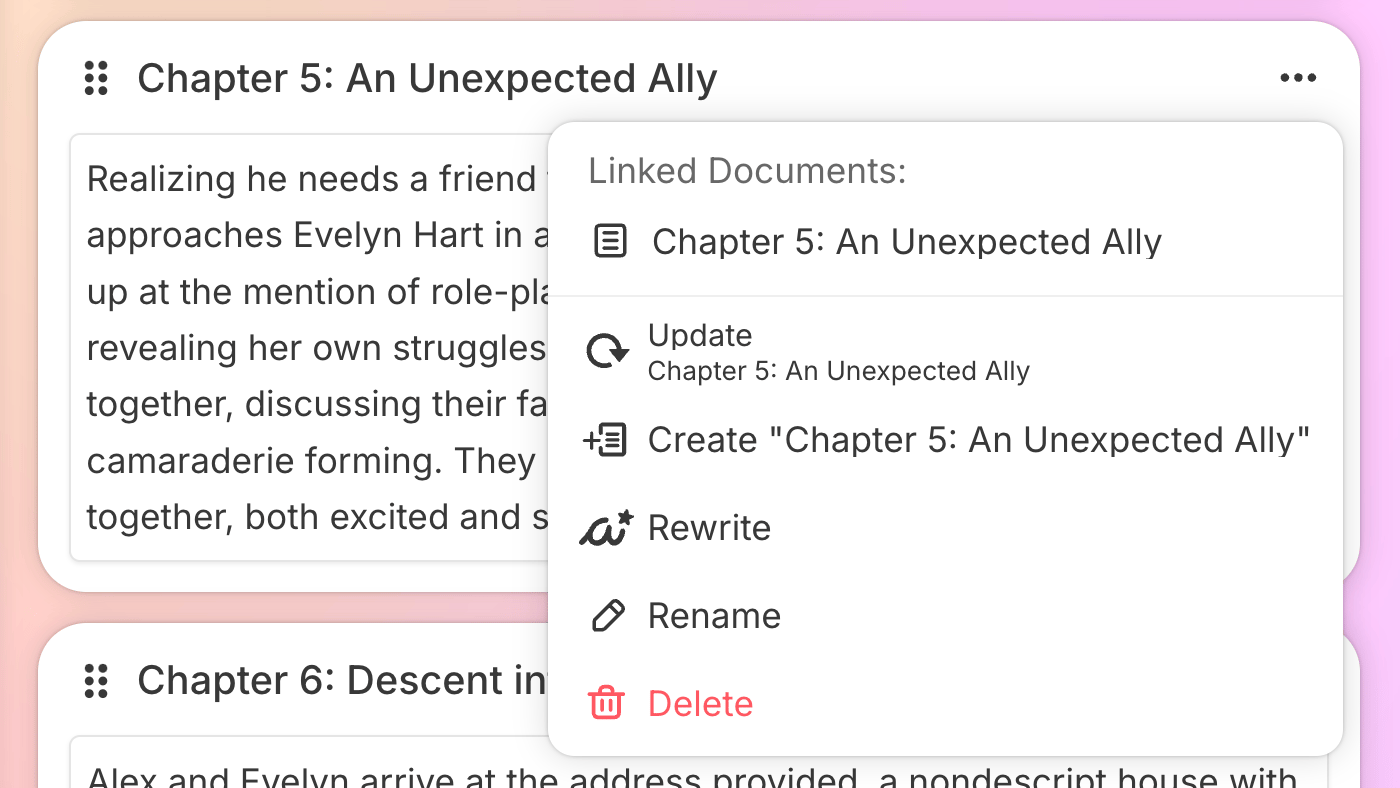
With characters and worldbuilding in place, move to the Outline section. Sudowrite reads everything you have established so far and creates a chapter-by-chapter story outline that respects your characters, world, and plot arc.
You are not locked into an act-and-chapter structure either. Outline Unlimited lets you organise by scenes, episodes, or any format you prefer. Add prologues, epilogues, interludes, or special sections as needed. Generate all at once or build it chapter by chapter — giving AI direction as you go.
The outline is where your story's backbone takes shape. Every chapter summary pulls from your synopsis, characters, and worldbuilding, ensuring that the chapter continuity for novel writing stays tight across the entire manuscript.
Write Scenes and Generate Chapter Prose ✨
Scenes are the final Story Bible stage before full draft generation. Link scenes to your outline chapters and either write them manually or click Generate Scenes. Each scene pulls from your characters, worldbuilding, and outline to create focused narrative beats.
A feature called Story Bible Detection underlines any character or worldbuilding element it recognises from your Story Bible. Detected names and places appear underlined in your scenes, confirming consistency at a glance — you'll know immediately if the AI is referencing your established canon.
When scenes are ready, use the Draft tool (the typewriter icon) to generate chapter prose. Draft pulls from your style, genre, characters, worldbuilding, and scenes to write a first draft with AI assistance. You can also link chapters in sequence so Sudowrite references prior chapters when writing new ones — perfect for maintaining narrative flow.
No credit card required · Story Bible available on all plans · Cancel anytime
See Story Bible in Action 🎬
Watch how fiction writers use Sudowrite's Story Bible to build entire novels — from braindump to published prose:
Sudowrite 201: Working with Story Bible
Full walkthrough of Story Bible features — character cards, worldbuilding elements, and outline generation.
Story Bible: Write a Novel in 7 Clicks
Watch how Story Bible generates a full novel framework from braindump to chapter prose in minutes.
Customising Character & Worldbuilding Cards
How to add custom traits, groups, and detailed world elements.
Story Bible 2: A Game-Changer for Worldbuilding
Deep dive into Story Bible 2's new features and AI worldbuilding capabilities.
How I Use Story Bible — Lynn Jordan
A working fiction author shares her Story Bible workflow and best practices.
Importing Existing Work Into Story Bible 📥
Already have a manuscript in progress? No need to start from scratch.
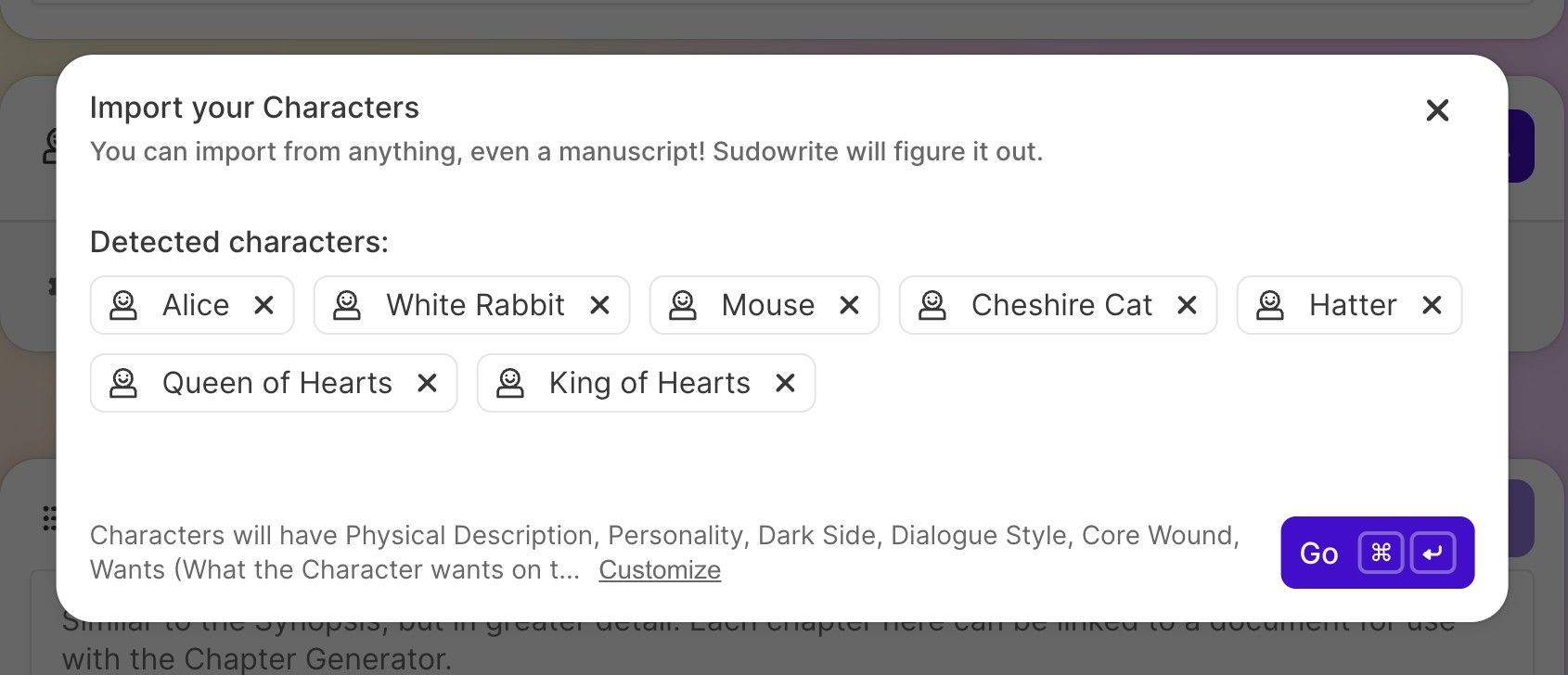
Use the smart import feature to create character cards from existing text or files — up to 60,000 words at a time. Sudowrite identifies up to 30 characters per import and lets you validate each one before adding them to your Story Bible.
You can also import via CSV for full control over structured data. Each row becomes a character, and each column maps to a trait. Importing characters does not use any credits — making it a risk-free way to populate your Story Bible from an existing novel or series outline.
For series writers managing multiple books, you can maintain a Series Bible to track character evolution, world changes, and plot threads across volumes. Each book gets its own Story Bible, while key elements stay synchronised across the series.
Story Bible Works With Sudowrite's Full Toolset 🛠️
Story Bible doesn't work in isolation. It integrates with Sudowrite's other powerful features:
Story Engine
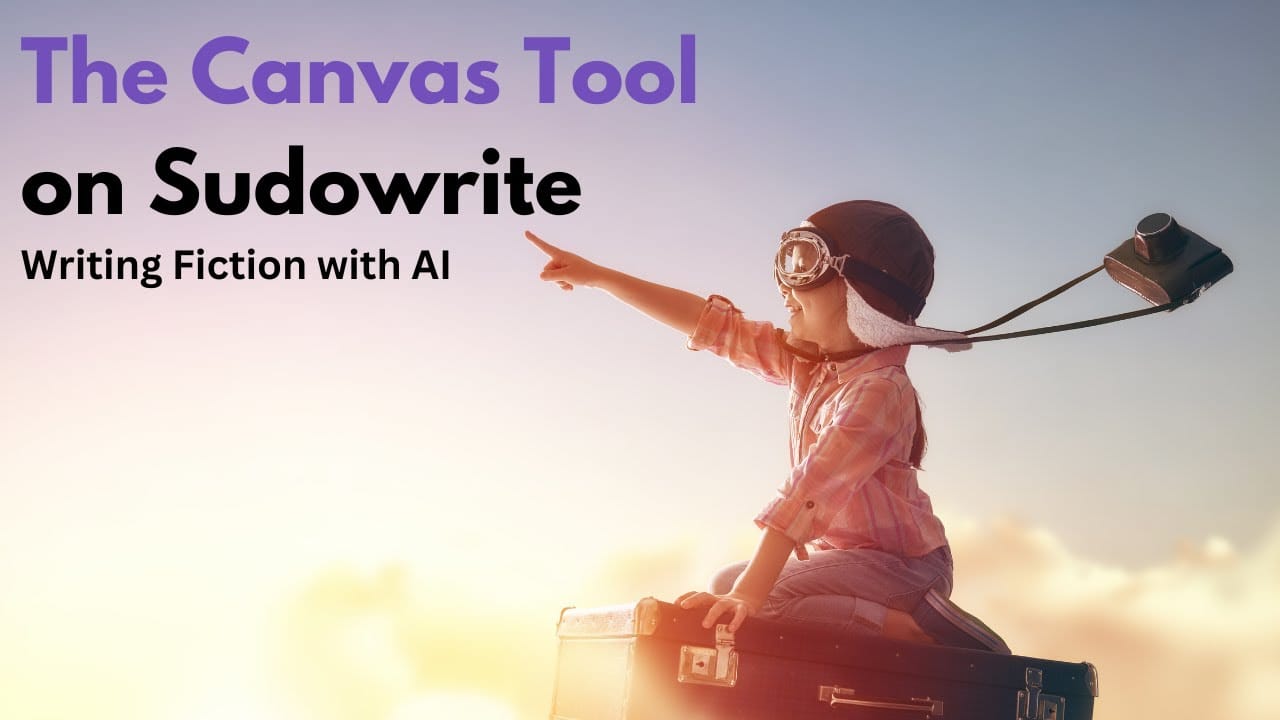
End-to-end novel generation powered by Story Bible dataCanvas
Visual scene organiser with drag-and-drop chapter managementMuse AI
Fiction-specific AI model trained for creative storytellingLore Book: Worldbuilding Elements Release
How the Lore Book feature expands worldbuilding capabilities within Story Bible.
NEW! Outline Tool on Sudowrite
See how Outline Unlimited generates structured chapter plans from Story Bible data.
Getting Better Results From Story Bible 🚀
A few habits will improve your output significantly and help you get the most from Sudowrite's AI:
Be Specific in Your Braindump
Vague input produces vague output. Add conflict details, emotional beats, and character dynamics early on. Name your characters. Define relationships. The more the AI knows, the better it performs.
Edit AI-Generated Content
Story Bible generates suggestions, not finished material. Treat every output as a first draft and refine it to match your voice and vision. The best novels come from human-AI collaboration, not blind acceptance.
Use Rewrite Buttons Liberally
Not happy with a generated trait or synopsis? Click Rewrite, add custom instructions, and let AI revise based on your feedback. Iterate until it matches your creative intent.
Remove Outdated Information
Conflicting data across sections leads to inconsistent prose. If a character's backstory changes during drafting, update the Story Bible immediately. Clean up regularly.
Link Chapters in Sequence
When chapters are linked, Sudowrite's Write feature can use chapter continuity for novel writing and reference prior chapters before generating new content. This maintains narrative flow.
Remember: Story Bible Is Your Partner, Not a Replacement
Story Bible is not a replacement for your creative instincts. It is a structured workspace that handles the heavy lifting of maintaining story consistency with AI while you focus on what matters most — telling a great story. The best writers use it as a foundation, not a crutch.
Frequently Asked Questions About Story Bible
Sudowrite's Story Bible is a structured workspace that collects all core elements of your narrative — braindump, genre, synopsis, characters, worldbuilding, outline, and scenes — in one place. It serves as a single source of truth so both you and the AI stay consistent from page one to the final chapter.
Generating content within Story Bible (synopsis, characters, outlines, scenes) uses credits. However, importing characters via text file or CSV does not use any credits. Manual editing is always free. You can get 200,000 free credits to try all features.
Yes! Sudowrite supports smart import of up to 60,000 words at a time and can identify up to 30 characters per import. You validate each character before they're added to your Story Bible. You can also import via CSV for full control over structured character data.
Story Bible is available on all Sudowrite plans:
• Hobby & Student: $19/month ($10/month annual) — 225,000 credits
• Professional: $29/month ($22/month annual) — 1,000,000 credits
• Max: $59/month ($44/month annual) — 2,000,000 credits with rollover
You can try it free with 200,000 credits on signup, or claim 200,000 bonus credits through our exclusive link. See our full pricing guide for details.
Absolutely. Sudowrite supports Series Bible functionality for tracking character evolution and world details across multiple volumes. Each book gets its own Story Bible, but elements can be shared and referenced across projects — perfect for maintaining consistency in a fantasy saga, romance series, or ongoing thriller series.
Story Bible Detection automatically underlines any character or worldbuilding element it recognises from your Story Bible when generating scenes. This visual confirmation helps you verify consistency at a glance before generating full chapter prose. If a name isn't underlined, you know the AI may not be referencing the right character data.
No. You retain full ownership of all content created on Sudowrite. The platform does not use your writing to train its AI models. Your Story Bible data, characters, and manuscripts remain entirely yours. Sudowrite also offers an EZ Cancel Guarantee — you can upgrade, downgrade, pause, or cancel directly from your subscription page.
Most AI writing tools (ChatGPT, Jasper, etc.) treat each prompt independently — they don't remember your characters, world rules, or plot points. Sudowrite's Story Bible creates a persistent narrative memory that the AI references every time it generates text. This means your protagonist's traits, your world's magic system, and your plot arc stay consistent across hundreds of pages — something generic AI tools simply cannot do.
Start Building Your Story Bible Today
Sudowrite's Story Bible is the most powerful tool for keeping characters, worlds, and plotlines consistent across your entire novel. From braindump to final draft, every detail stays aligned — and the AI remembers it all.
*Affiliate link. No credit card required. Story Bible available on all Sudowrite plans. View pricing →
Written by Sachin
Founder & Lead Writer at Sudoz Coupons
Sachin has built detailed Story Bibles for a fantasy series using Sudowrite, testing character cards, worldbuilding fields, and outline integration. This guide reflects real usage and workflows. Read more about us →