How to Use Sudowrite Story Engine: From Braindump to Polished First Draft
Every fiction writer knows the pain. You have a brilliant idea buzzing in your head, but getting it onto the page feels impossible. Sudowrite's AI-powered Story Engine solves exactly that problem.
It walks you through a step-by-step writing process — from a messy braindump all the way to a complete, readable first draft. If you've been searching for a reliable AI writing tool for fiction, you're in the right place. 🚀
This guide breaks down every stage of Sudowrite's novel writing workflow so you can stop staring at blank pages and start producing chapters.
What Is Sudowrite Story Engine and Why Writers Love It ✍️
Sudowrite is an AI-powered fiction writing tool built exclusively for long-form storytelling. Unlike general-purpose chatbots like ChatGPT or Jasper, it focuses on novel writing with AI, maintaining plot consistency, character arcs, and narrative tone across chapters.
Story Engine is its flagship feature. It walks you through a structured pipeline that transforms a raw idea into a publishable first draft:
Each stage feeds into the next. So by the time you reach prose generation, Sudowrite already understands your story inside and out — your characters, world, tone, and plot arc.
Writers love it because it keeps creative control in human hands while removing the blank-page paralysis that kills momentum. You make the decisions; the AI does the heavy lifting.
Step-by-Step Guide to Writing a Novel With Sudowrite Story Engine
Follow these six steps to go from a raw idea to a complete, readable first draft — all within Sudowrite's structured writing pipeline.
Nail Your Braindump 🧠
A braindump is where everything begins. Imagine meeting a co-author for the first time. You need to tell them everything about your story — the premise, characters, tone, and key events.
Sudowrite's Braindump field is completely freeform. You can paste a stream-of-consciousness ramble, a treatment, or even a single sentence. However, writing at least a few hundred words gives the AI a much better picture of your creative vision.
Here's what to include in a strong braindump:
- Core premise and central conflict
- Main character names and goals
- Setting and time period
- Tone and genre (e.g. dark fantasy, cosy romance)
- Key plot points you already know
- Any sequel context or backstory from previous books
Pro Tip: A detailed braindump directly affects synopsis quality and chapter beats. Spending extra time here pays off massively later — every stage downstream compounds the detail you put in now.
Generate a Synopsis That Holds Your Story Together 📄
Once your braindump is ready, the Story Bible generates a synopsis. A synopsis introduces characters, goals, and the central conflict while conveying tone, themes, and unique story elements.
You can edit and regenerate the synopsis until it matches your creative direction. It acts as the backbone for every step that follows — from outline creation to chapter prose. Think of it as the contract between you and the AI about what this story is.
If the generated synopsis doesn't match your vision, click Rewrite, add custom instructions ("make the antagonist more sympathetic" or "add a romantic subplot"), and let the AI revise. Iterate until it feels right.
Build Characters and Worlds 🌍
Story Bible lets you create detailed character profiles with AI assistance. Each profile can include name, age, appearance, personality, backstory, goals, dialogue style, and custom traits.
You also get dedicated sections for worldbuilding. These cover society, culture, history, locations, magical systems, technologies, and even specific objects. All of this context feeds into the writing engine, ensuring consistency across every chapter.
| Story Bible Section | What It Does | What It Influences |
|---|---|---|
| Braindump | Captures raw story ideas | Synopsis, Beats |
| Synopsis | Summarises plot and conflict | Outline, Characters |
| Characters | Stores profiles and arcs | Beats, Chapter Prose |
| Worldbuilding | Defines settings and lore | Beats, Chapter Prose |
| Outline | Structures acts and chapters | Scenes, Draft |
| Scenes & Draft | Lists key narrative moments | Final Chapter Prose |
Learn more about setting up your Story Bible in our complete Story Bible Guide →
Create a Chapter-by-Chapter Outline 📝
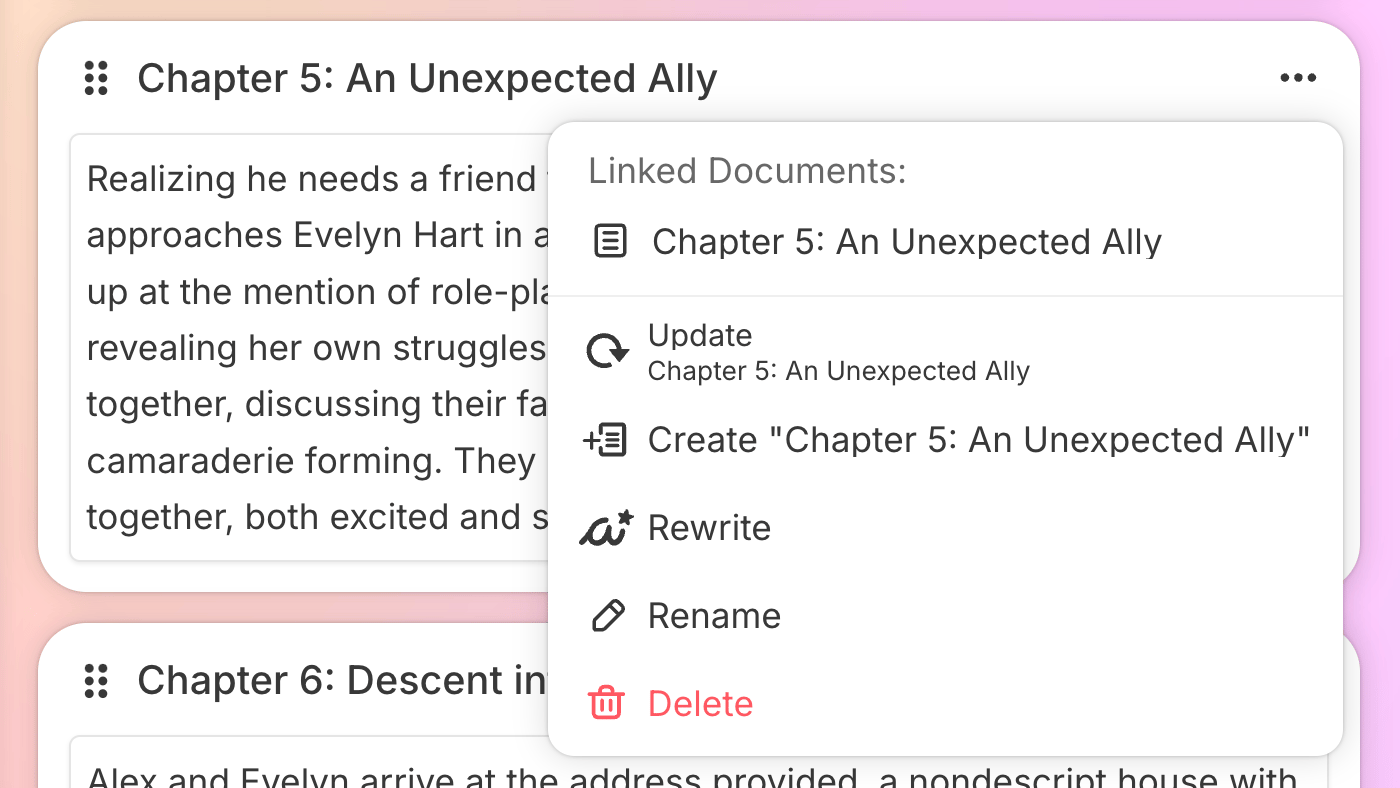
The Outline section is where your story gets real structure. Story Bible reads your synopsis, genre, characters, and worldbuilding to create a chapter-by-chapter story outline.
You have two options:
Acts work as dividers — you can label them Part, Book, Episode, or Section. Chapters can be named anything you like. The outline has no word limit, so include as much detail as you need.
You can also use popular story structures through Sudowrite's Canvas feature:
Beat Out Your Chapters for Maximum Detail 🎵
Beats are the secret weapon. Each beat is a specific instruction that tells Sudowrite what a section of your chapter should contain. One beat typically generates around 200 words of prose.
Weak beats produce weak chapters. Strong beats include:
Character Motivation
What does the character want in this scene? What emotional state are they in?
Scene-Level Conflict
What's at stake? What tension drives the scene forward? Who or what opposes the character?
Clear Endpoint
Every beat needs a turning point or resolution — something that moves the story forward.
Beats are generated based on your braindump, genre, style, synopsis, characters, and outline — so every earlier step compounds here. The more you invest upfront, the sharper your beats become.
Pro Tip: Think of beats as directions to a film crew. Don't just say "they have dinner" — say "Elena confronts Marcus about the missing letter over a tense dinner, revealing she found it in his desk drawer. Marcus deflects, but Elena catches the lie."
Generate Your First Draft With the Draft Tool ✍️
Generating chapter prose is the final and most exciting step. The Draft tool (represented by a typewriter icon in the editor) looks at your style, genre, characters, worldbuilding, and scenes to write a first draft of each chapter.
Here's how it works:
- Write or generate scenes (key narrative moments for each chapter)
- Add optional custom instructions to match your voice and preferences
- Choose your preferred AI model and prose mode
- Click Generate and watch prose appear in real time
Each scene transforms into part of a flowing chapter draft that closely follows your structure and tone. You can pause generation at any point if the AI takes too many creative liberties — keeping you firmly in the driver's seat.
No credit card required · Story Engine available on all plans · Cancel anytime
See Story Engine in Action 🎬
Watch how writers use Sudowrite's Story Engine to go from braindump to polished first draft:
Introducing Muse — The AI Behind Story Engine
See how Sudowrite's Muse AI model powers Story Engine for fiction-specific prose generation.
Write a Novel in 7 Clicks With Story Engine
Full walkthrough from braindump to chapter prose using Story Engine's pipeline.
Sudowrite 101: Generating An Outline
Beginner guide to creating structured outlines with Story Engine.
Quick Start: Brainstorm & Story Ideas
How to use Brainstorm alongside Story Engine for richer ideas.
The Canvas Tool — Visual Story Planning
Use Canvas alongside Story Engine for visual scene management.
How to Edit and Refine AI-Generated Drafts ✨
A first draft is never a final draft. Sudowrite includes powerful editing tools to help you polish your manuscript after Story Engine does the heavy lifting:
Describe
Adds sensory detail and replaces bland prose with vivid imagery across all five senses. Makes your writing come alive with sight, sound, taste, touch, and smell.
Rewrite
Highlight any passage and get multiple AI-suggested revisions that preserve your voice. Choose the version that best fits your creative intent.
Expand
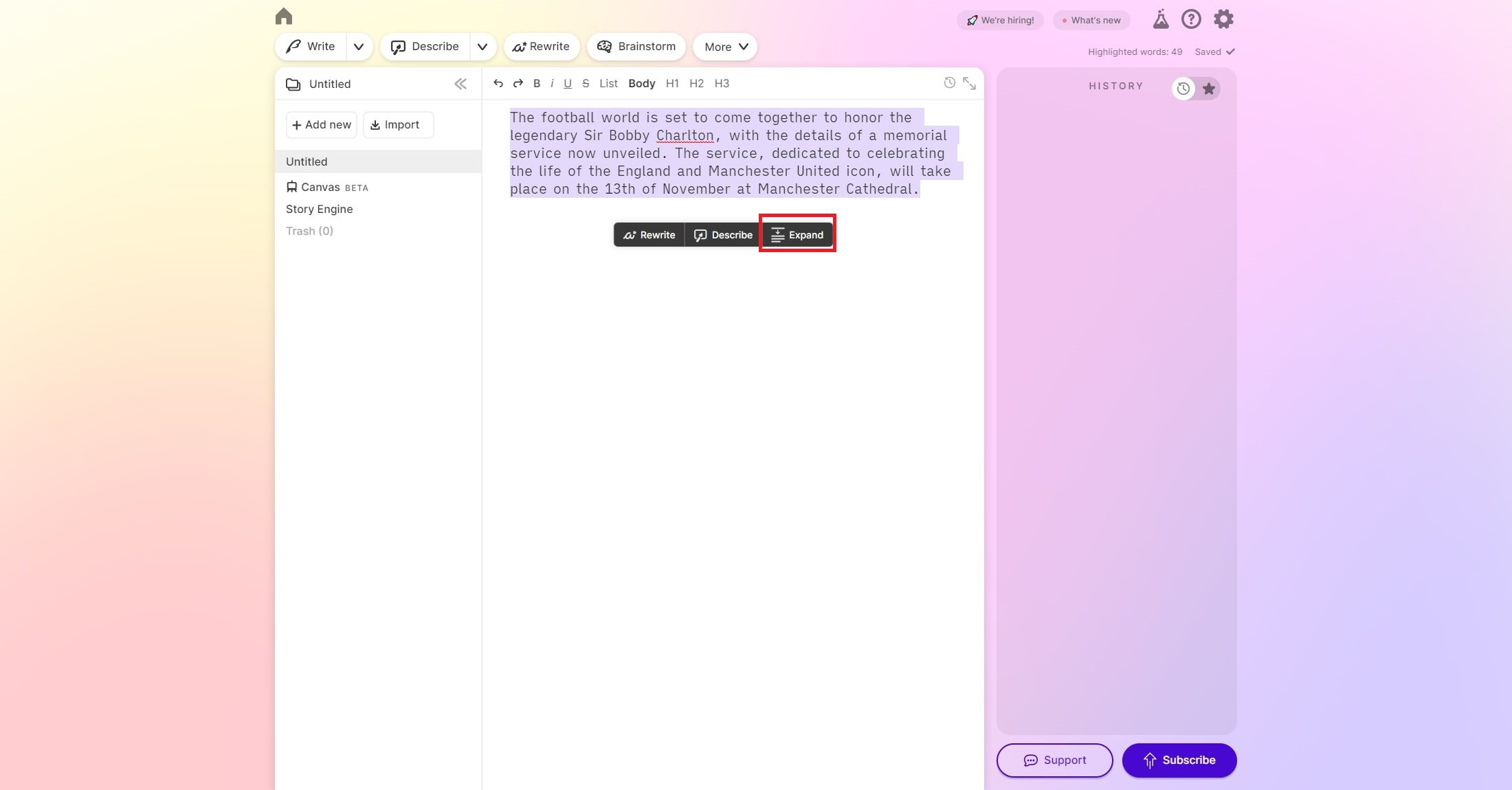
Slows pacing, builds out scenes, and adds immersive detail without breaking flow. Perfect for making fast-paced drafts feel more literary.
Feedback
An AI beta reader that analyses story arc, pacing, character motivation, and show-versus-tell balance. Get actionable revision notes instantly.
Plugins Extend Functionality Even Further
Community-built plugins like Dialogue Distinctifier and Find Cliches help you clean up common fiction pitfalls. Plugins integrate directly into the editor, giving you one-click access to specialised tools that complement Story Engine's output.
Why Fiction Writers Are Choosing Sudowrite for Novel Drafting 🏆
Sudowrite isn't just another AI story generator. It's a structured novel writing software that keeps you in the driver's seat. Authors who plot extensively report cutting first draft writing time by 50% or more. What once took six months can now take a fraction of that time.
The real power lies in how every section of the Story Bible feeds into the next. Your braindump shapes the synopsis. The synopsis shapes the outline. The outline shapes beats. And beats shape your final chapter prose — a compounding chain of consistency that generic AI tools simply cannot replicate.
If you've been struggling to turn ideas into finished manuscripts, Sudowrite's Story Engine workflow gives you a clear, repeatable path from messy notes to a polished first draft — every single time.
Story Memory
Unlike ChatGPT, Sudowrite remembers your characters, world, and plot across every chapter. No re-prompting needed.
Creative Control
You direct every step — braindump, synopsis, outline, beats. The AI follows your vision, never overrides it.
Speed Without Sacrifice
Cut drafting time by 50%+ while maintaining quality. Plot-heavy authors see the biggest gains.
Your Voice, Amplified
Match My Style analyses your writing and mirrors your tone, rhythm, and vocabulary in generated prose.
Built for Fiction
Muse AI is trained specifically for creative fiction — not blog posts, not ads. Novels, screenplays, and stories.
You Own Everything
Sudowrite never trains on your writing. You retain 100% ownership of all content created on the platform.
Frequently Asked Questions About Story Engine
Story Engine is Sudowrite's flagship feature — a structured AI-powered pipeline that walks you through writing a novel step by step: from braindump to synopsis, characters, worldbuilding, outline, beats, and final chapter prose. Each stage feeds into the next so the AI understands your story inside and out.
Sudowrite can generate a complete first draft using Story Engine, but the best results come from human-AI collaboration. You provide the creative vision, characters, and plot direction. The AI handles the heavy lifting of prose generation while you edit, refine, and steer the story. Think of it as the world's most capable writing assistant, not a replacement author.
Credit usage varies by step. Generating synopses, outlines, and character cards uses moderate credits. Beat generation and draft prose use more. On the Professional plan ($22/mo annual), you get 1,000,000 credits — enough for multiple novel drafts per month. You can also get 200,000 free credits to try Story Engine before committing. See our pricing guide for full details.
Story Bible is the structured workspace that stores your story's data — braindump, synopsis, characters, worldbuilding, and outline. Story Engine is the process that uses Story Bible data to generate chapter prose. Story Bible organises; Story Engine produces. They work together as a complete novel-writing system. Read our Story Bible Guide to learn more.
Beats are specific instructions that tell Sudowrite what a section of your chapter should contain. Each beat typically generates around 200 words of prose. Strong beats include character motivation, scene-level conflict, and a clear endpoint or turning point. The more specific your beats, the better the generated prose matches your vision.
Yes! Sudowrite includes a Match My Style feature that analyses your existing writing and replicates your voice, sentence rhythm, and vocabulary in generated prose. You can also describe your style manually (e.g. "lyrical literary fiction with short punchy sentences" or "fast-paced thriller with Hemingway-like simplicity"). Your style setting applies to every stage of Story Engine.
The Professional plan ($29/month or $22/month with annual billing) is the best value for novel writers. It includes 1,000,000 credits per month — enough for multiple full drafts. If you write full-time or work on multiple projects, the Max plan ($59/month or $44/month annual) gives you 2,000,000 credits with rollover. See our complete pricing guide for details.
Ready to Write Your Novel With Story Engine?
Sudowrite's Story Engine gives you a clear, repeatable path from messy braindump to polished first draft. No more blank-page paralysis. No more lost plot threads. Just structured, AI-powered novel writing that keeps your creative vision at the centre of every chapter.
*Affiliate link. No credit card required. Story Engine available on all Sudowrite plans. View pricing →